Export a vulnerability report
Download a project’s security findings as a PDF from the Vulnerabilities view.
Open OpenHack and select the organization and project you want to work in.
Use a project vulnerability report to share security findings outside the application.
Download the PDF
- Select the organization and project you want to report on.
- Open the project's Vulnerabilities view.
- Choose Export PDF.
- Wait for generation to finish and save the downloaded file.
- Open the PDF and confirm the project and evidence before sharing it.
Report export requires access to the project and a plan that includes reporting. If the action is unavailable or shows an upgrade message, ask your organization owner to check reporting access.
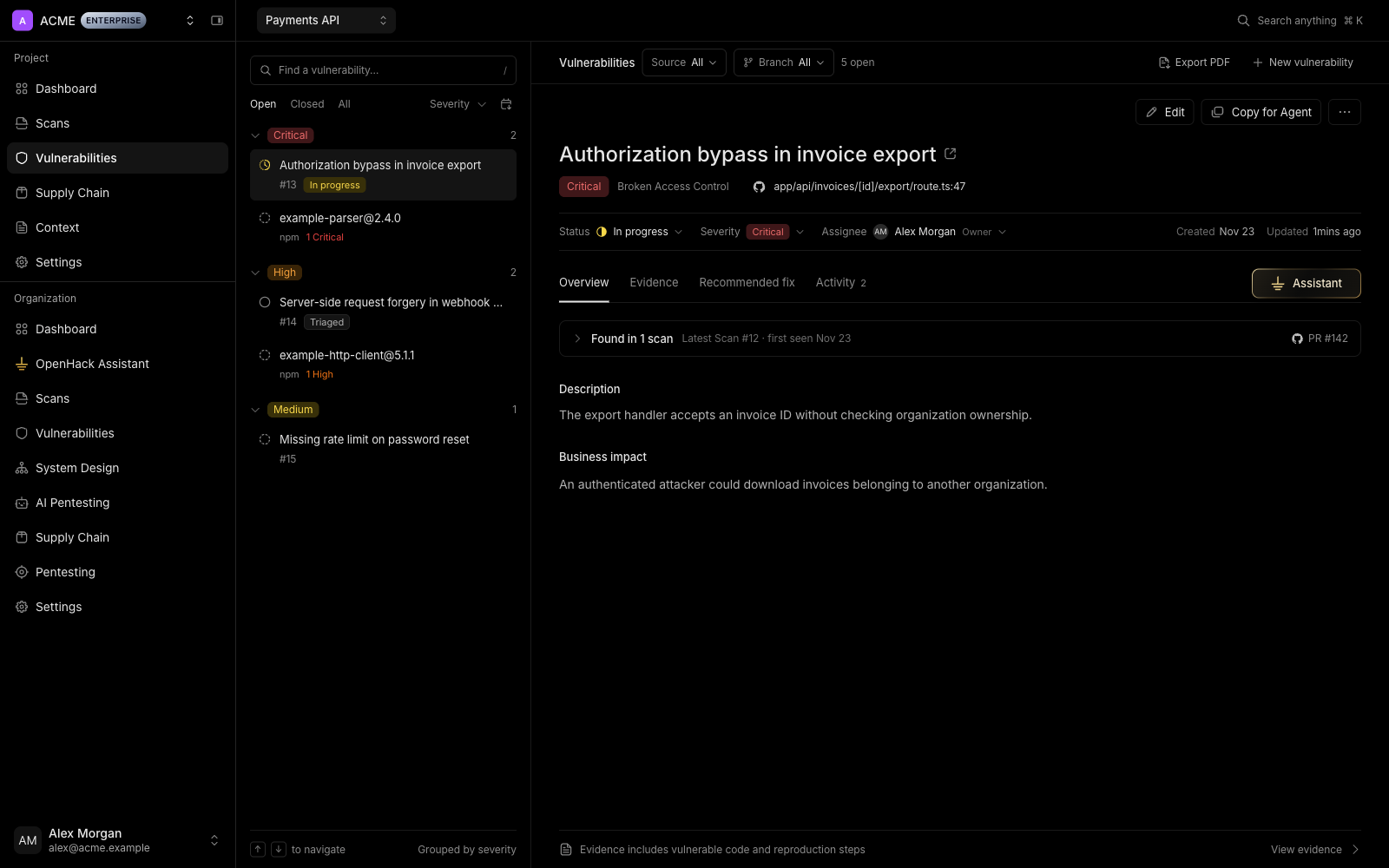
Use Export PDF from the project’s Vulnerabilities view. Actual product screen with fictional ACME demo data.
Understand the scope
The export is a project security report built from recorded scan data. The export action does not submit the current inbox filters, search, or selected rows, so do not assume the PDF contains only what is visible in the filtered list.
Review the underlying findings and completed scans when interpreting the report. A failed or unfinished scan is not proof that the application has no vulnerabilities.
Other exports
For a dependency inventory, export an SBOM. For a dependency-scan PDF, open Supply Chain and choose Report on a completed scan. Pentest engagement PDFs are available from the engagement workflow.
If generation fails
Keep the error shown by the application, confirm that scan data is available and that your account still has project and reporting access, then retry. Do not treat an unsuccessful export as an empty report.