Scan and fix dependencies
Run dependency scans, review vulnerable packages, open a fix pull request, and export dependency evidence.
Open your project in OpenHack and select Supply Chain. Connect its GitHub repository first. Dependency scanning and advanced fix actions depend on your organization's plan.
Run a dependency scan
- Check the selected organization and project.
- Choose Run scan.
- Follow the scan in Scan History until it finishes.
- Review the summary for the package count, severity counts, lockfiles included, and last scan time.
An empty result from an unfinished or failed scan is not evidence that dependencies are safe.
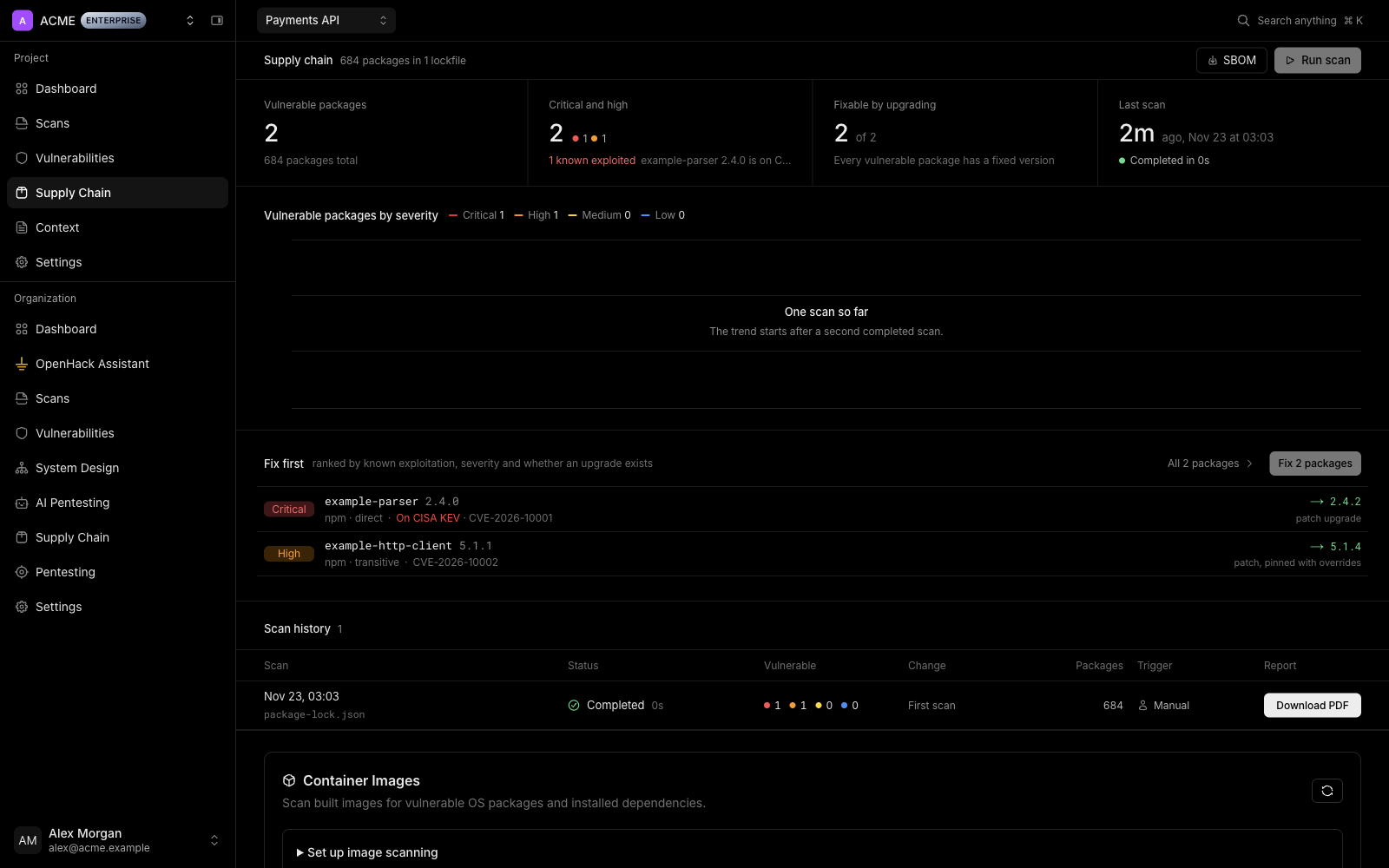
Start a scan from the header and check its state before reviewing results. Actual product screen with fictional ACME demo data.
Review vulnerable packages
Open a completed scan and select a package. Compare the installed version with the available fixed version. Read each vulnerability's evidence and severity before deciding on an upgrade. New, Persisting, and Resolved counts describe changes between scans; check the lockfile scope when comparing runs.
Use Direct, Transitive, or All to filter the package list. The dependency path shows how a package enters the project. Expand an advisory to review its identifier, severity, and available reference links. Under Business impact, use Prepare assessments when no assessment is available, then review the result against your application context.
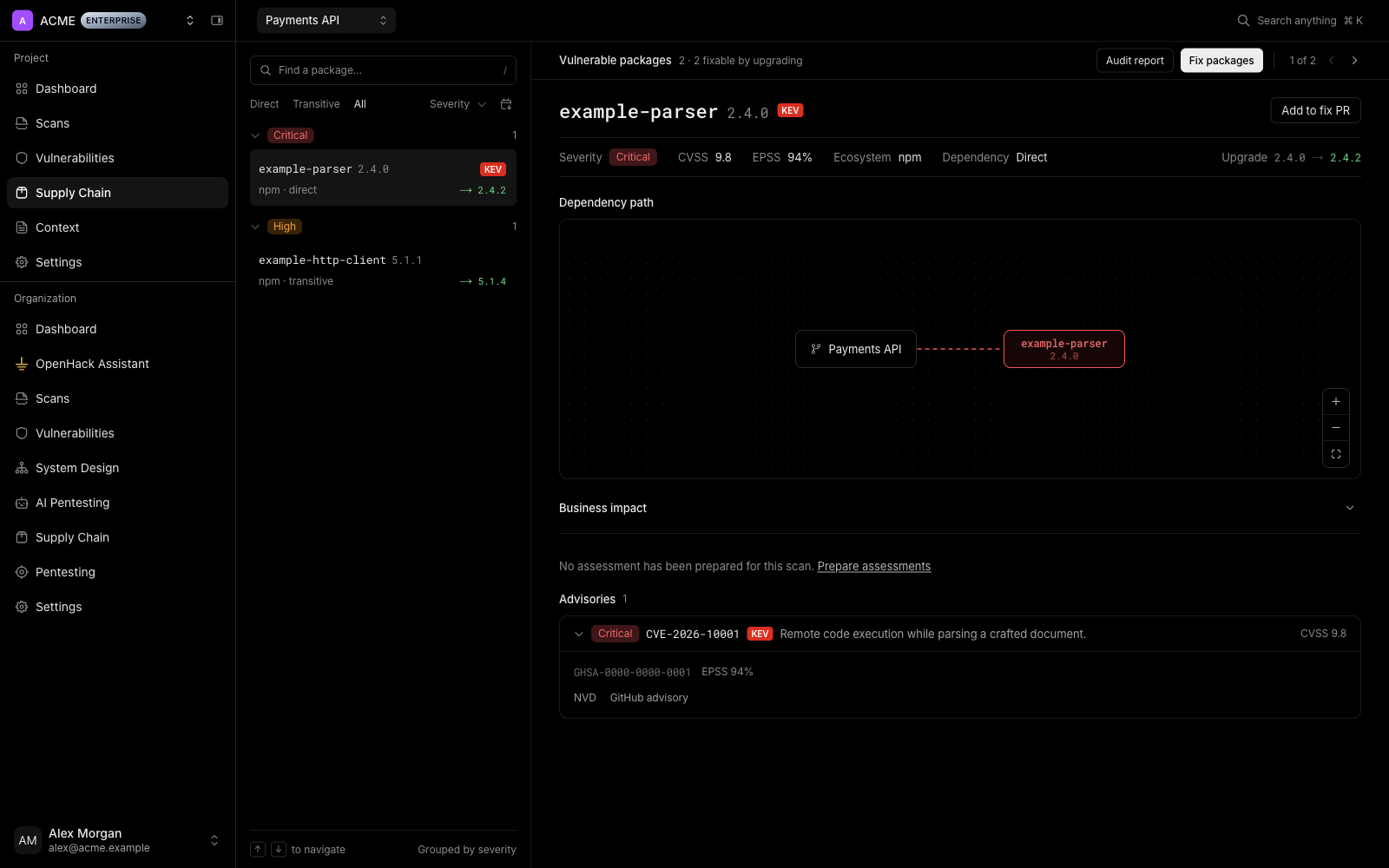
Review the package path and advisory before choosing an upgrade. Actual product screen with fictional packages and advisory data.
Open a dependency fix pull request
- Choose Fix packages in Fix first (the button includes the number of eligible packages), or open a scan to review individual packages.
- Review the packages and select the upgrades you want. Packages need a known fixed version to be selectable for a fix.
- Choose Open Fix PR.
- Use View Pull Request to review the proposed dependency changes in GitHub.
- Run your application's tests, review compatibility, and merge through your normal review process.
- Run another dependency scan after the updated lockfiles reach the branch being analyzed.
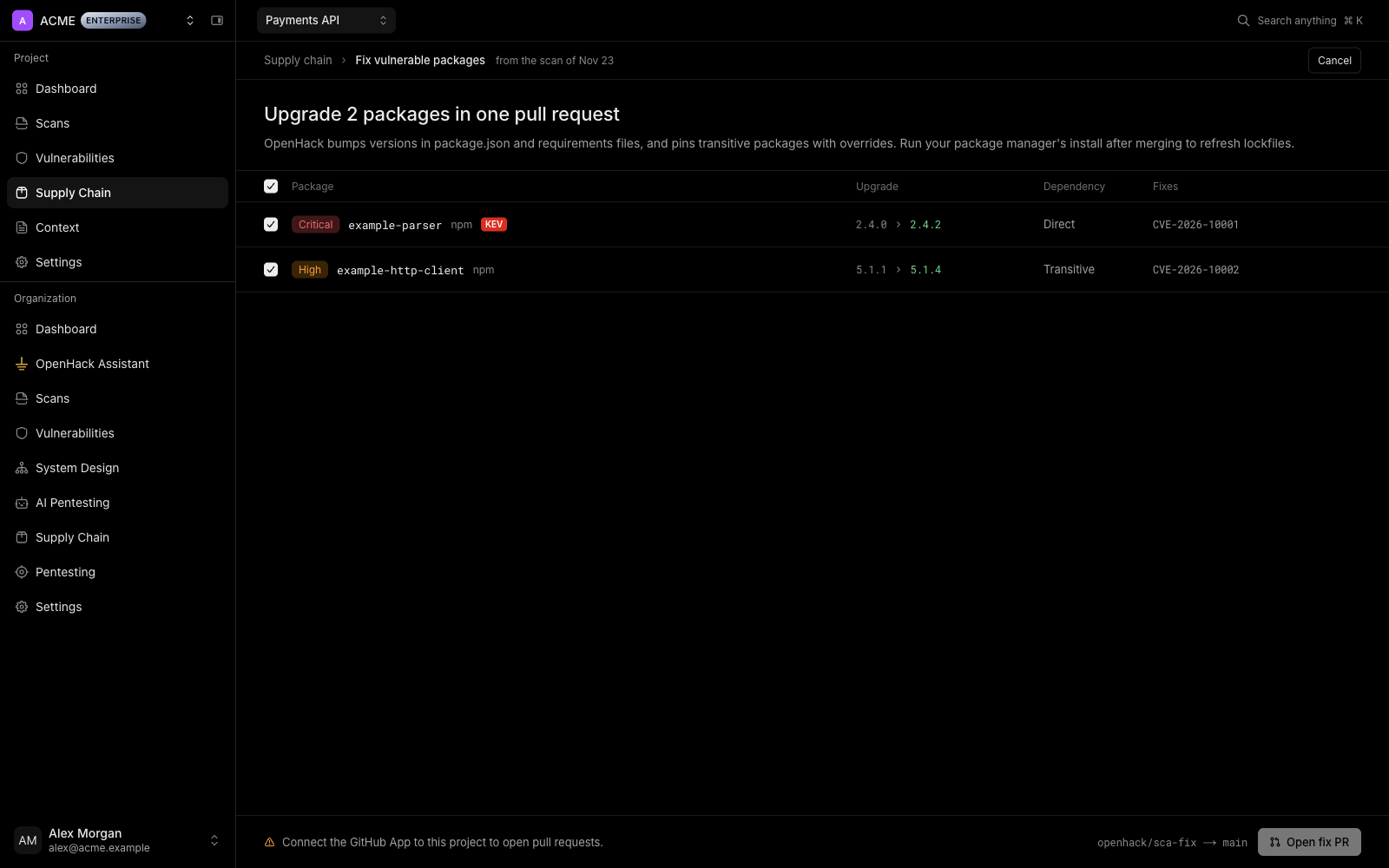
Choose which upgrades to include. The demo has no live GitHub connection, so Open fix PR is disabled. Actual product screen with fictional ACME data.
Creating a pull request does not merge it or prove that an upgrade is compatible. If a fixed version is unavailable, investigate the package and mitigation options separately.
Export evidence
Choose SBOM for a CycloneDX dependency inventory, or Download PDF on a completed scan for that run's PDF. Check the project and scan date in the downloaded file.
Review container image results
The Container Images section lists uploaded image scan results separately from repository lockfile scans. Use its refresh action after a new result has been uploaded, then inspect the image and package findings. The setup disclosure in the application explains how your team can supply image results; a repository dependency scan does not automatically scan your built container images.