Add project context
Describe your application, deployment, and security requirements to help OpenHack interpret findings.
Open OpenHack and select the organization and project you want to work in.
Project context explains how your application is used. A connected GitHub repository supplies code; custom context supplies details that code alone may not explain, such as who can access the application and what data it handles.
Connect the repository first
Link the GitHub repository to the intended project. Check the organization and project selection before adding context. Repository access and custom context are separate settings; editing context does not change the repository connection.
Add custom context
- Open the project and select Context in the sidebar.
- Select a question in the left navigation and enter its answer.
- Choose Save and continue to save that answer and move to the next question.
- On the last question, choose Save context to save all edited answers. You can also use Command+S or Control+S. Check the last-saved confirmation before leaving.
Custom context requires an eligible plan. If the form is locked, use the plan-access action shown in the app or ask your organization owner.
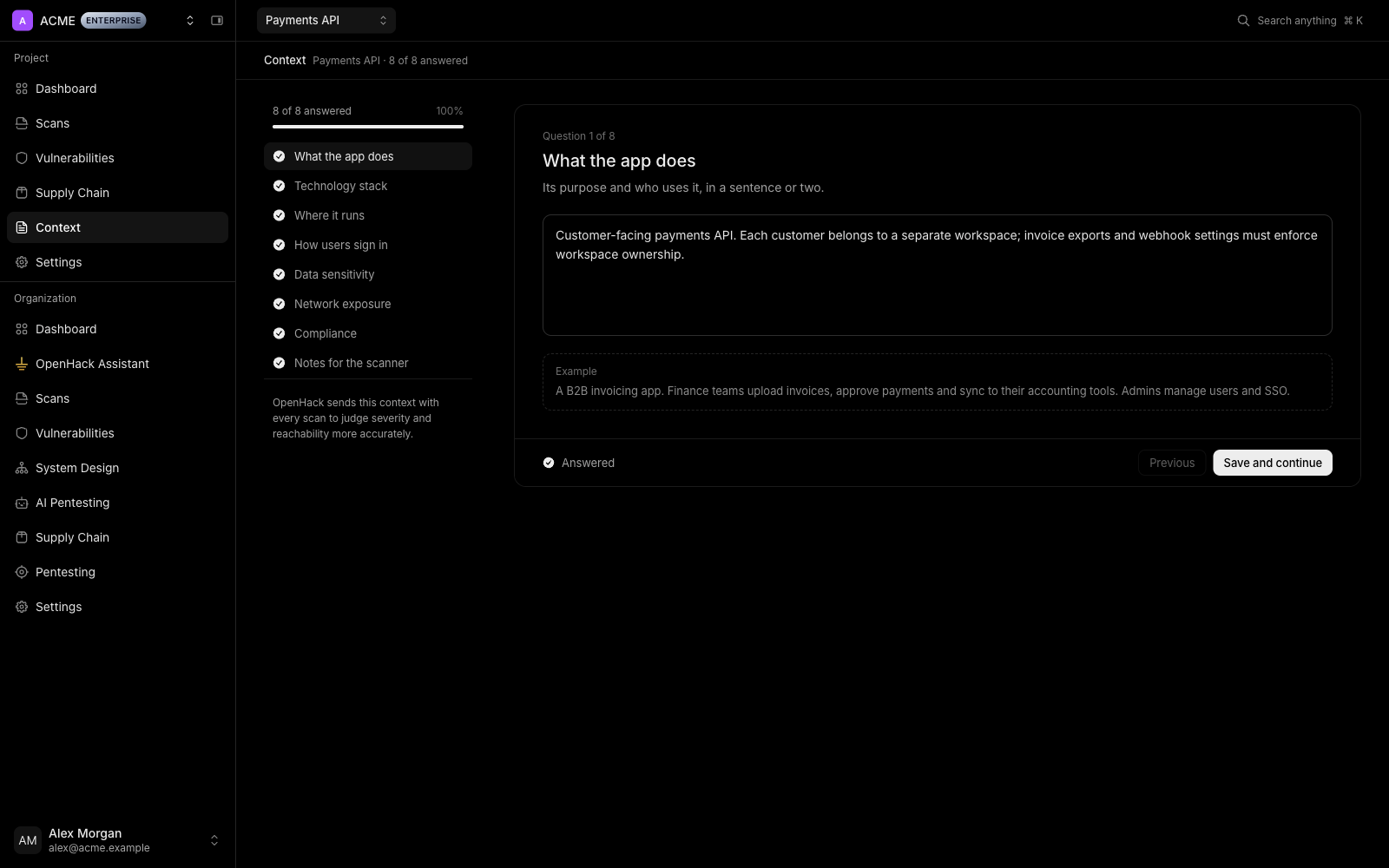
Describe the application and its access boundaries, then save the context. Actual product screen with fictional ACME demo data.
What to include
| Section | Useful information |
|---|---|
| What the app does | What the product does, its users, and important workflows. |
| Technology stack | Languages, frameworks, databases, and key libraries. |
| Where it runs | The hosting environment selected from the list. |
| How users sign in | How users and services authenticate, such as sessions or OAuth. |
| Data sensitivity | Whether the app handles public, internal, personal, or regulated data. |
| Network exposure | Whether the app is public, internal, VPN-only, or a mixture. |
| Compliance | Frameworks or requirements relevant to your team. |
| Notes for the scanner | Recent changes, areas of concern, and boundaries worth explaining. |
For example: “A customer portal with separate workspaces. Members should only see records from their own workspace. The administration interface is restricted to staff.”
Describe authentication and data handling without pasting passwords, access tokens, private keys, or customer records.
Keep context current
Update context when deployment, authentication, or application boundaries change. Saving context does not itself start a scan or rewrite completed scan results. Continue with run and review scans when you are ready to analyze the code.