Work with pentesting engagements
Create pentesting engagements, import existing reports, review findings, and export reports.
Open OpenHack and select the organization you want to work in.
An engagement groups the scope and findings of a penetration test. Create an engagement manually or import an existing report, then review and manage its findings.
Choose a workflow
- Import an existing report to turn a text-based PDF into a draft engagement and findings for review.
- Create an engagement with New Engagement to record its scope, team, and findings.
These features must be available to your organization and your account. Use only targets you own or have permission to test.
Manual engagements and report export
Open Pentesting at organization level. Use New Engagement to create an engagement manually, or Import report to start from a PDF. Open an engagement to review Findings, Team, and Scope and settings.
To export an engagement, use Export Report. The report opens in a new browser tab and requires an authorized OpenHack session. If the tab does not open, check browser pop-up settings. The link is not a public share link.
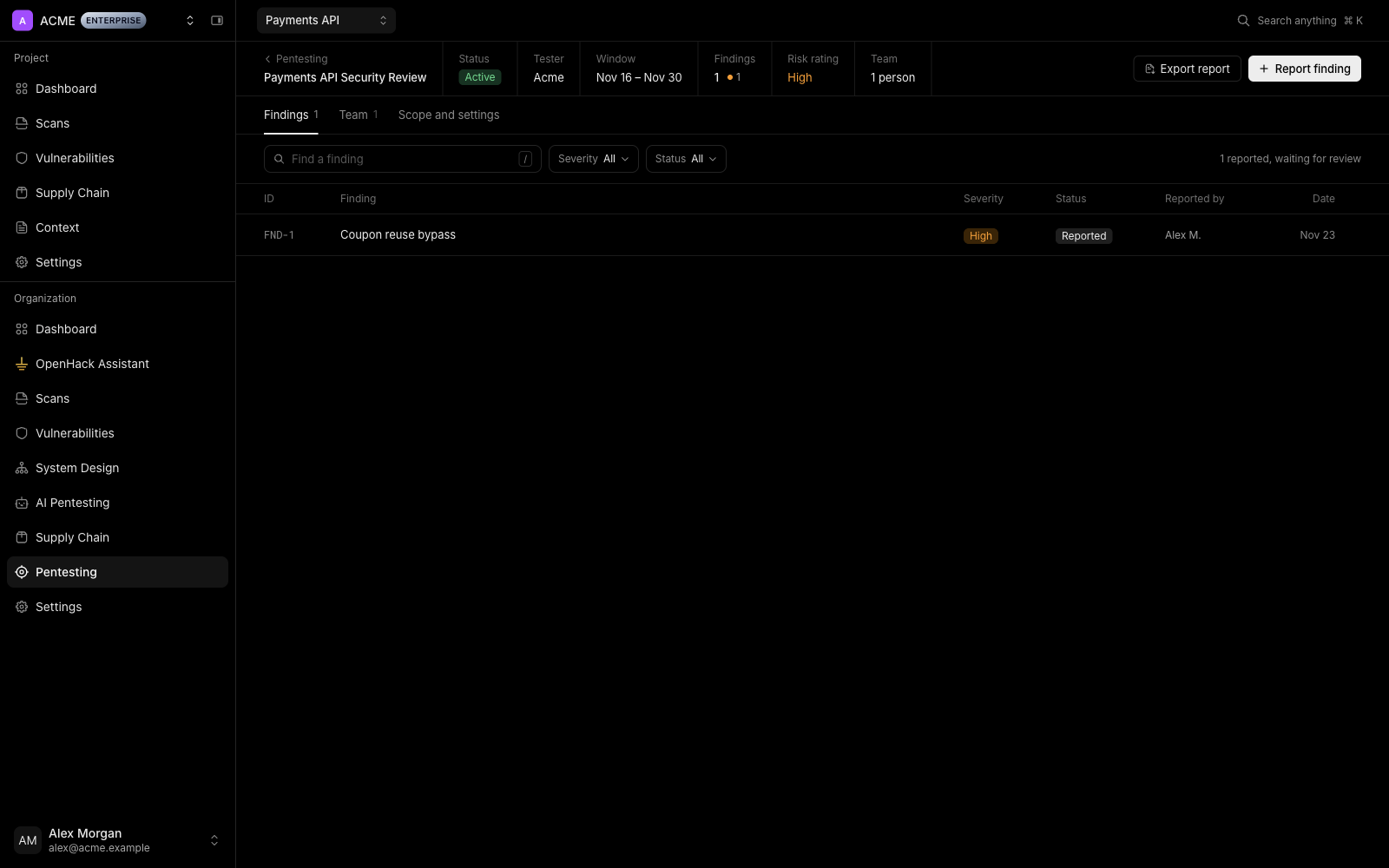
Open an engagement to review findings or export its report. Actual product screen with fictional ACME demo data.