Map your system design
Build an organization architecture diagram with components, connections, and notes.
Availability: System Design is enabled only for selected organizations. If it is absent from organization navigation, ask your organization owner whether your workspace has access. This guide describes the editor when enabled.
Open the organization diagram
Select the organization in OpenHack, then choose System Design in organization navigation. The diagram belongs to the organization rather than to an individual project's repository context.
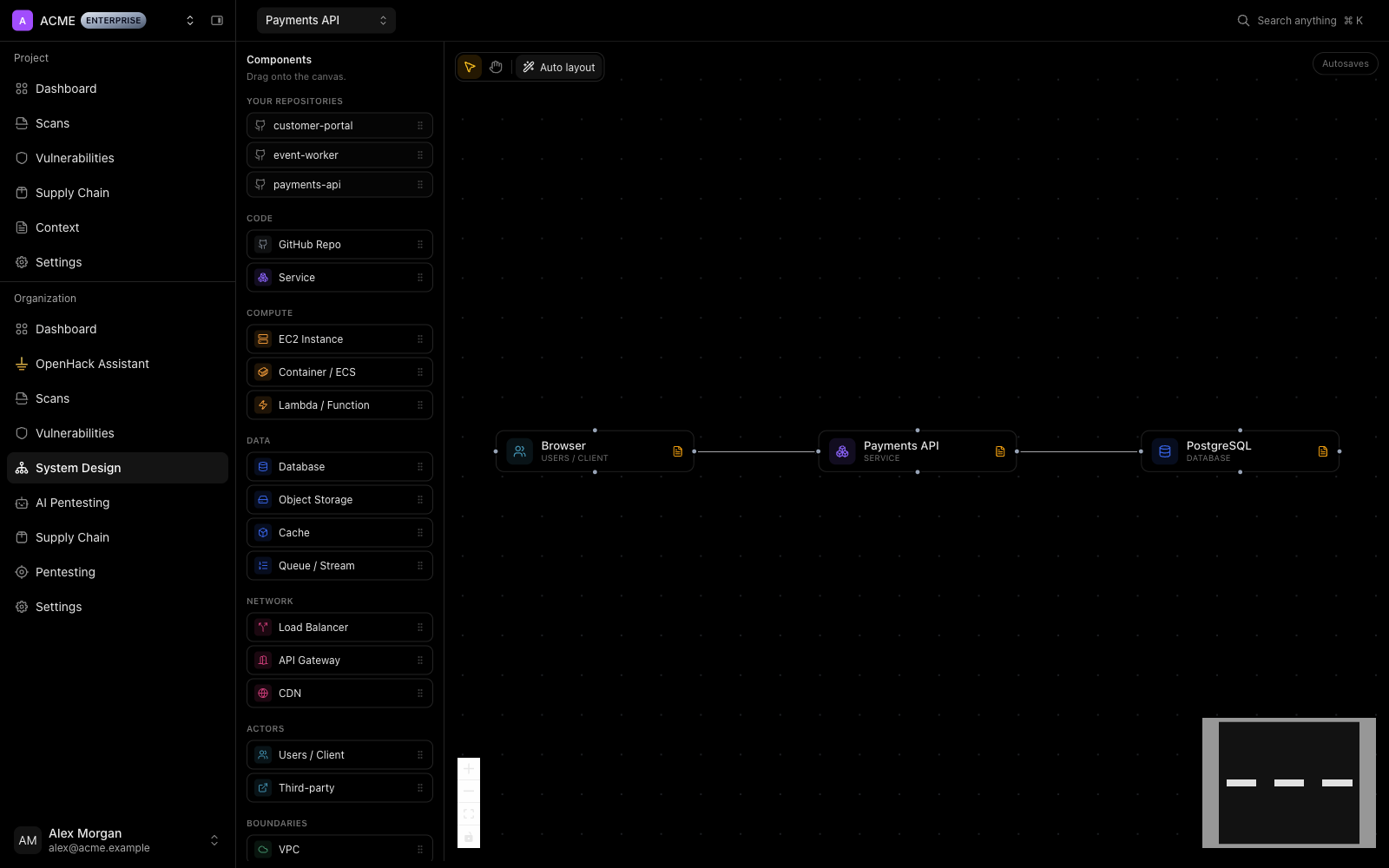
Drag components from the palette, connect their handles, and use Auto layout to organize the diagram. Actual product screen with fictional ACME demo data.
Add components and connections
- Drag a repository or cloud asset from the left palette onto the canvas.
- Select the component to open its detail panel.
- Give it a meaningful name and add notes describing its role and security boundaries.
- Drag between component connection handles to connect them.
- Select a connection and label the relationship, such as HTTPS or database access. Add notes about the protocol, authentication, and data that flows across it.
Use boundary or group components to represent related infrastructure. Keep credentials and production data out of names and notes.
Arrange the diagram
Use Select to move components or drag a selection box. Use Hand to pan the canvas. Trackpad scrolling pans; pinching zooms. Auto layout organizes a diagram containing at least two components. Use the minimap and zoom controls to navigate a large diagram.
Select a component or connection to edit it. Use its removal action or the Delete key to remove a selection. Removing a component also removes its attached connections, so review the selection first.
Save and maintain context
Changes autosave; allow the save to complete before leaving. Reopen the diagram to confirm important edits persisted. Update the diagram when services, trust boundaries, or communication paths change.
The diagram records architecture. It does not deploy infrastructure or run a security scan. Use project context for structured application details and scans to analyze a connected repository.