Export an SBOM
Create a CycloneDX JSON software bill of materials from project dependency data.
Open OpenHack and select the organization and project you want to work in.
A software bill of materials (SBOM) is an inventory of software components and dependencies. OpenHack exports it as CycloneDX 1.5 JSON, rather than a PDF.
Prepare dependency data
Select the intended project and open Supply Chain. Review the available dependency data and scan history. If you need newer evidence, run dependency analysis and wait for it to complete before exporting.
The inventory reflects dependency data available to OpenHack; it is not a claim that every deployed component or runtime service has been discovered.
Download the SBOM
- Open the project's Supply Chain page.
- Choose SBOM in the page header.
- Wait for generation to finish.
- Save the downloaded
.jsonfile. - Confirm the project and component information before importing it into another tool.
SBOM export requires a plan that includes this feature and access to the project. If the button is missing or access is denied, ask your organization owner to check availability.
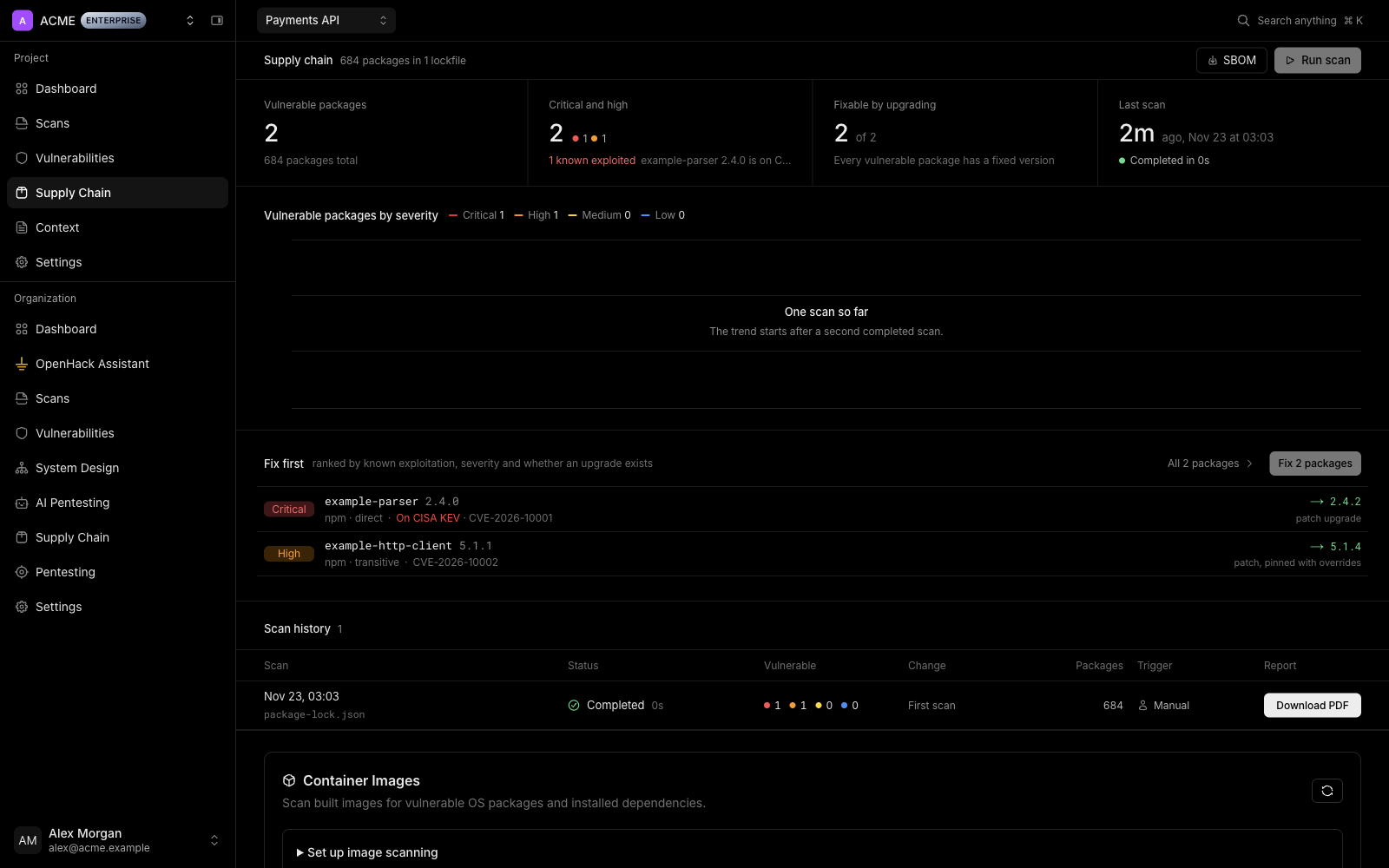
SBOM downloads inventory; Download PDF downloads the selected scan’s PDF. Actual product screen with fictional ACME demo data.
SBOM versus scan report
The SBOM action exports dependency inventory. The Download PDF action on a completed dependency scan downloads that scan's PDF report. Choose the JSON inventory when a downstream tool requests an SBOM, and a PDF when your reviewer needs a readable report.