Connect your team’s tools
Set up organization integrations for issue tracking and Slack conversations.
Open OpenHack and select the organization you want to work in.
Integrations connect an OpenHack organization to your team's tools. Select the intended organization before connecting a workspace or changing settings. Availability depends on the integrations enabled for your organization; an absent integration card is not a completed connection.
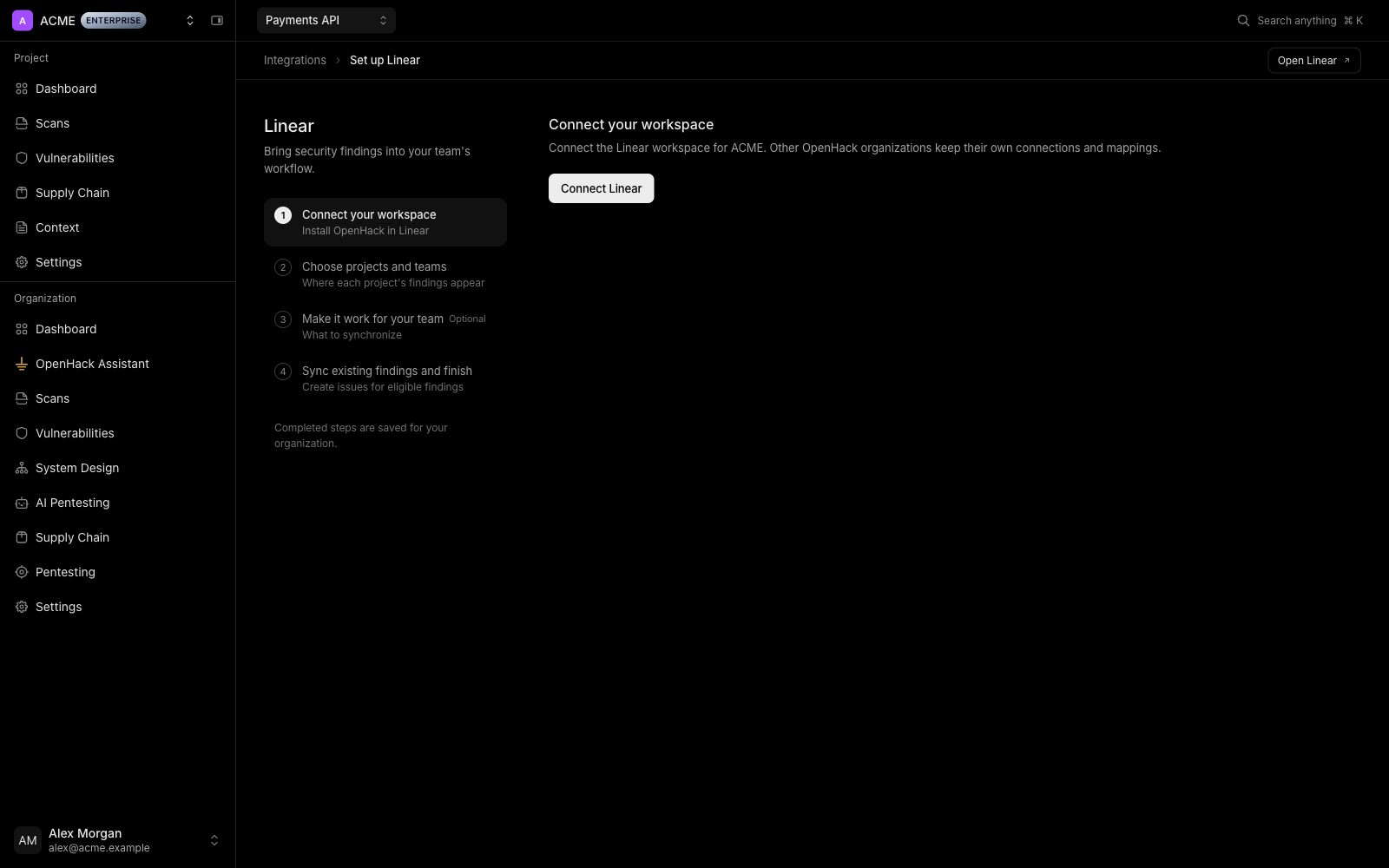
Connect the intended team workspace before sending findings. Actual product screen with fictional ACME demo data.
Open organization Settings, then choose Slack settings or Linear settings. GitHub lives in each project’s Settings → GitHub.
Choose an integration
| Integration | Use it for |
|---|---|
| Linear | Create linked issues from findings and control how updates sync. |
| Slack | Ask questions in linked conversations and receive scan notifications. |
| GitHub | Authorize repository access and link a repository to a project. |
Organization owners manage connections. Slack channel setup also requires the appropriate Slack workspace role. Connecting one organization does not automatically configure your other organizations.